
Chatbot vs AI Agent : The One Difference That Could Save You Hours Every Week
If you’re using ChatGPT, Claude, or Gemini at work, there’s a good chance you’re only using about 10% of what these tools can actually do for you. Most of us are stuck in “chatbot mode” i.e. we ask a question, copy the answer, ask another question, without realizing there’s a completely different, far more powerful way to work with AI i.e. AI Agents.
Difference between Chatbot vs AI Agent
In simple words:
A Chatbot Answers and AI Agent Acts!

A chatbot replies to your queries. You type a request, it replies, and you’re the one who has to read, copy, and act on that reply, every single time. It’s smart, but it’s reactive. It waits for you at every step.

While, an AI agent acts on the given task. Give it a goal instead of a question, and it figures out the steps on its own, searching, taking action, checking its own work and hands you back a finished result. One instruction in, a completed task out.
*User need to always check and verify the result handed by AI Agent.
A Real Example: Email Summarization
Take a task like “summarize my last 10 unread emails.” With a chatbot, you’d open each email, copy the text, paste it in, and ask for a summary of one email at a time. With an agent, you’d just say “summarize my unread emails,” and it goes into your inbox, reads them, and hands you the summary. Same result, in a fraction of the effort.
Why This Matters?
The professionals who learn to hand off multi-step tasks to agents are going to save real, measurable time every week, not just minutes or hours. And you don’t need to be technical to start.
AI Tools and their Built-in AI Agents
We are using many AI tools in day-to day basis and we are not aware that they already have build in AI Agents such as:
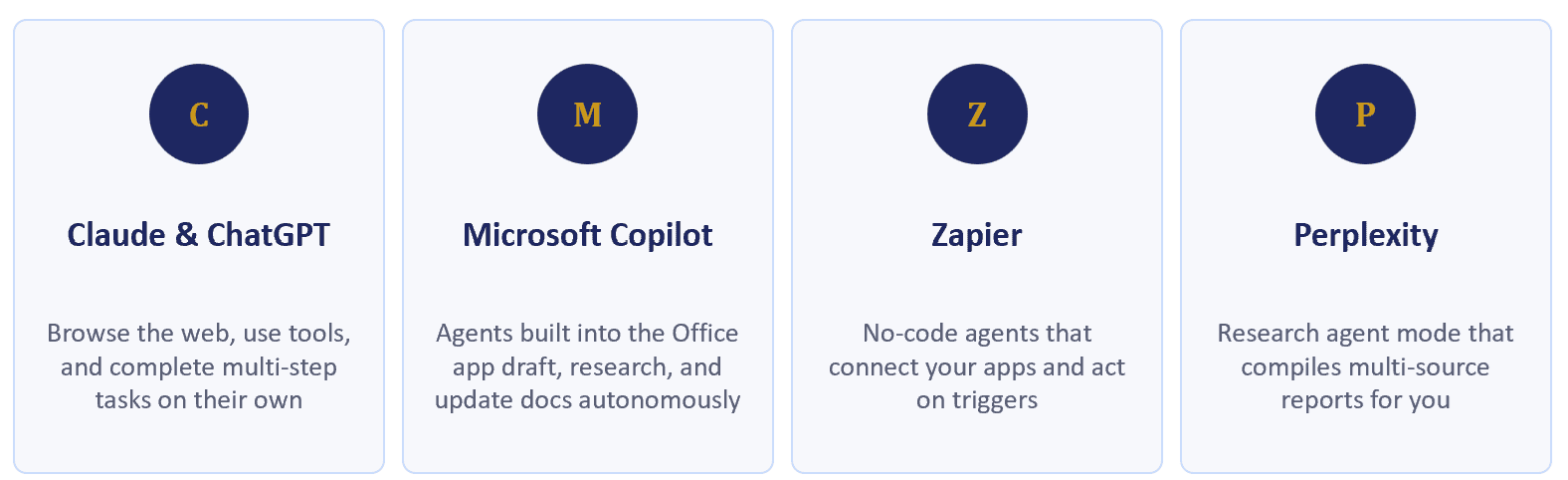
- Claude and ChatGPT both now have modes that can browse the web, use tools, and complete multi-step tasks on their own.
- Microsoft Copilot has agents built into Office apps that can draft, research, and update documents autonomously.
- No-code platforms like Zapier now let you build custom agents that connect your apps and act on triggers, without you writing a single line of code.
- Perplexity has a research agent mode that can compile multi-source reports for you.
Stay Tuned!!
In Episode 2, we will be building our first AI agent, step by step, with a free no-code tool.
Tell me in the comments: What are the most with AI Agents you are struggling with right now and want to learn in detail?
🔔 Subscribe to Data Science Horizon on YouTube, so you don’t miss Episode 2. https://www.youtube.com/@DataScienceHorizon
Keep Learning and Keep Implementing!!