
In Part 1 of Chapter 5, we learned what Computer Vision is, where it shows up in daily life, the four core CV tasks, and how images are really just grids of numbers under the hood. Today we put that theory into action using No-Code tools.
Just like Orange Data Mining we build an AI model for Statistical Data without programming, there’s a whole family of No-Code AI tools built specifically for Computer Vision. In this article, we meet two of the most popular ones: Lobe.ai and Teachable Machine and then build a real image classifier ourselves through the Smart Sorter activity.
Introduction to Lobe
Lobe.ai is an Auto-ML tool, meaning it’s a No-Code AI tool that automates the machine learning process for you. Here’s how it works:
- It’s designed specifically for image classification.
- You give it a set of images, each labeled with the category it belongs to.
- Lobe automatically finds the most optimal model to classify those images. You never write a line of code or choose an algorithm yourself.
In other words, Lobe takes care of the entire Modelling stage of the AI Project Cycle for you. You bring the labeled pictures; Lobe brings the machine learning.
Introduction to Teachable Machine
Teachable Machine is an AI, Machine Learning, and Deep Learning tool developed by Google in 2017. A few things worth knowing about it:
- It runs on top of TensorFlow.js, a JavaScript library also built by Google, which lets machine learning models run directly in your web browser.
- It’s a web-based tool, meaning there’s nothing to install, you just open it in your browser.
- It can train a model based on images, audio, or poses, given as input through your webcam or from uploaded pictures.
- No specific expertise or coding is required to use it, that’s the whole point of a No-Code tool.
Lobe vs. Teachable Machine
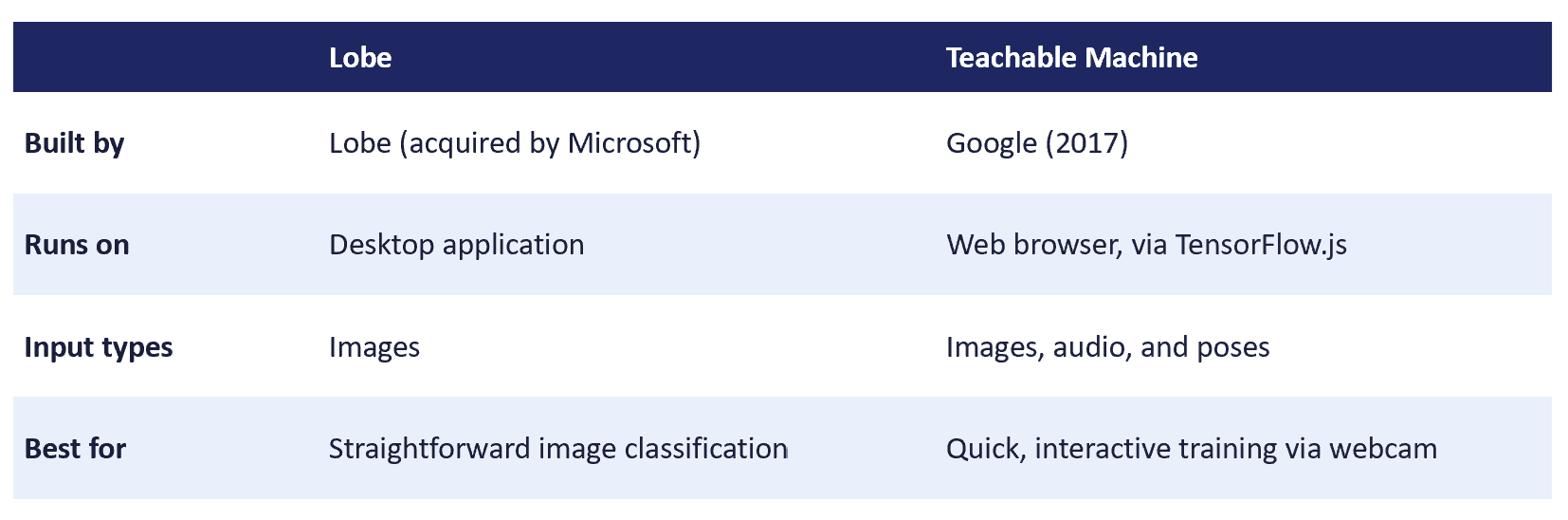
Both tools follow the same underlying idea: you supply labeled examples, and the tool automatically works out a model that can classify new, unseen examples. The exact same “Modelling” stage of the AI Project Cycle we discussed in Part 1 of our Statistical Data unit, just applied to images instead of numbers.
Activity Time: Build a Smart Sorter
Purpose: Using Computer Vision to automate and enhance sorting processes, a real-world application of image classification that’s used everywhere from recycling plants to warehouses.
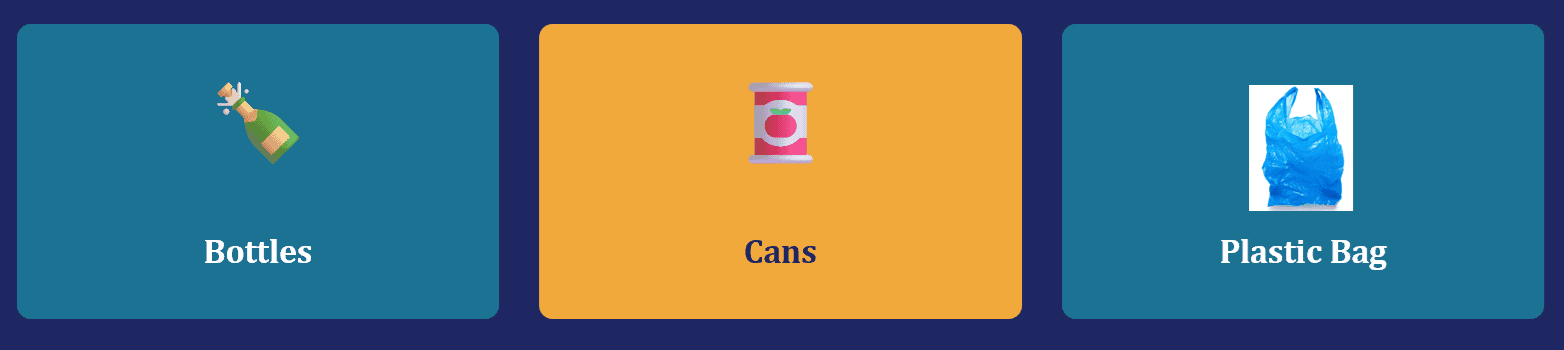
Link to download the images to build a classifier:
Bottle and Cans Images: https://www.kaggle.com/datasets/moezabid/bottles-and-cans?resource=download
Plastic Bag Images: https://www.kaggle.com/datasets/vencerlanz09/plastic-paper-garbage-bag-synthetic-images
Click on the below link, to learn step by step procedure to build an image classifier using Teachable Machine.
Mapping the Smart Sorter to the AI Project Cycle
This activity is a perfect, compact example of the entire AI Project Cycle in action:
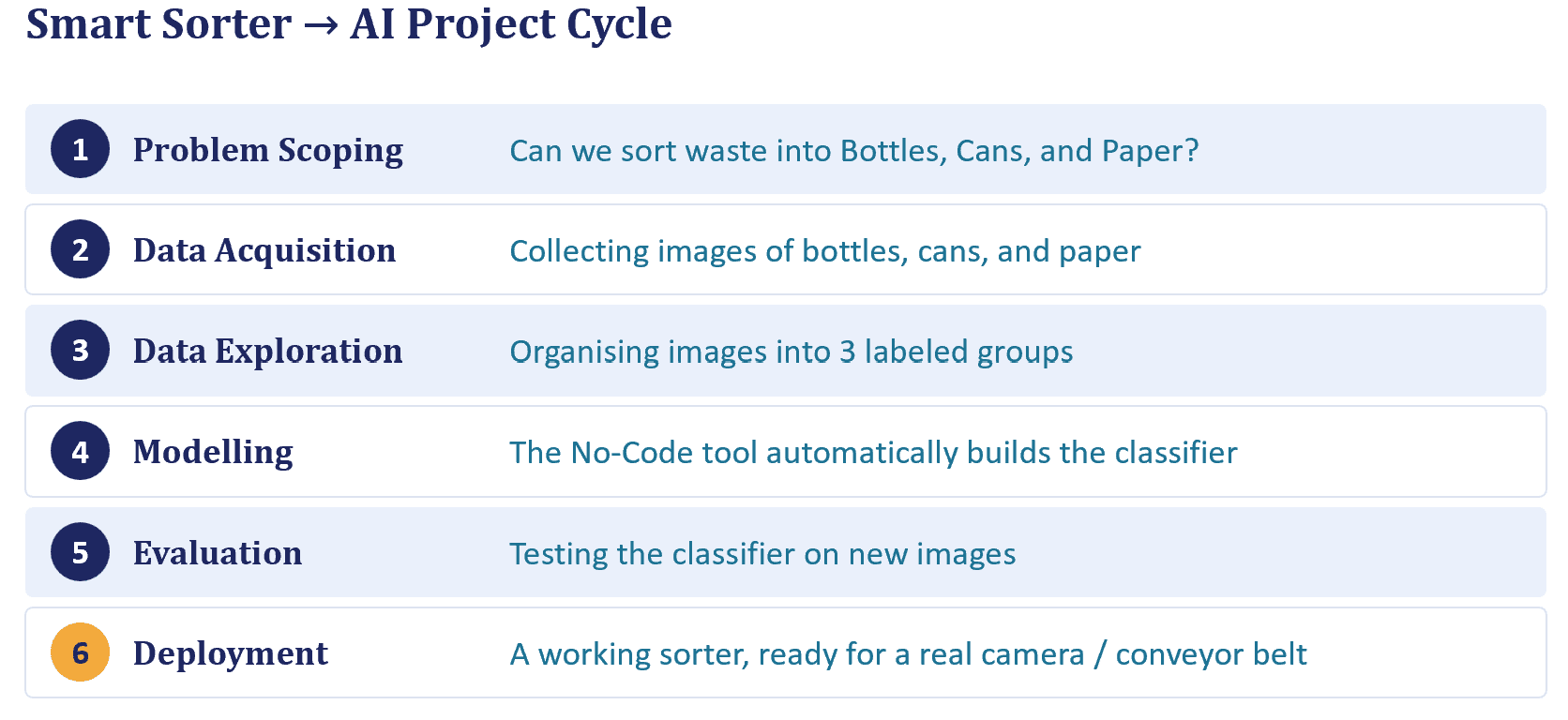
Notice something? This is a Classification task, one of the four CV tasks from Part 1. Since every input image gets assigned exactly one label from a fixed set of categories (Bottle, Can, or Bag).
Orange Data Mining for Computer Vision
You already know Orange Data Mining Tool from our Statistical Data unit, but here’s something worth remembering: it isn’t limited to numbers. It’s also a capable No-Code tool for Computer Vision, and the handbook includes a real-world CV case study on Coral Bleaching, building a classification model to help identify bleached coral early, to safeguard marine ecosystems. The workflow follows exactly the same widget-based pattern you learned in Unit 4, just with an image dataset in place of Titanic Dataset.
File → Data Table → A Classification Widget → Test & Score
The Takeaway
Whether it’s Lobe, Teachable Machine, or Orange, No-Code Computer Vision tools all follow the same underlying pattern: collect labeled examples, let the tool find the model, then test it.
Test Yourself
- Describe Lobe.ai and how its different from other No-Code AI Tools?
- Teachable Machine was developed by which organization and it runs on which Python library?
- In the Smart Sorter activity, how many classes are built?
- The Smart Sorter activity is an example of which Computer Vision task?
- Implement Coral Bleaching case study using Orange Data Mining Tool.
Stay Tuned!!
Stay tuned for next part of this chapter, what’s actually happening inside a CNN?
Click below for the YouTube video for Part 2 of Unit 5:
For any queries and clarification, kindly email us at datasciencehorizon@gmail.com
Keep learning and keep implementing!!

